
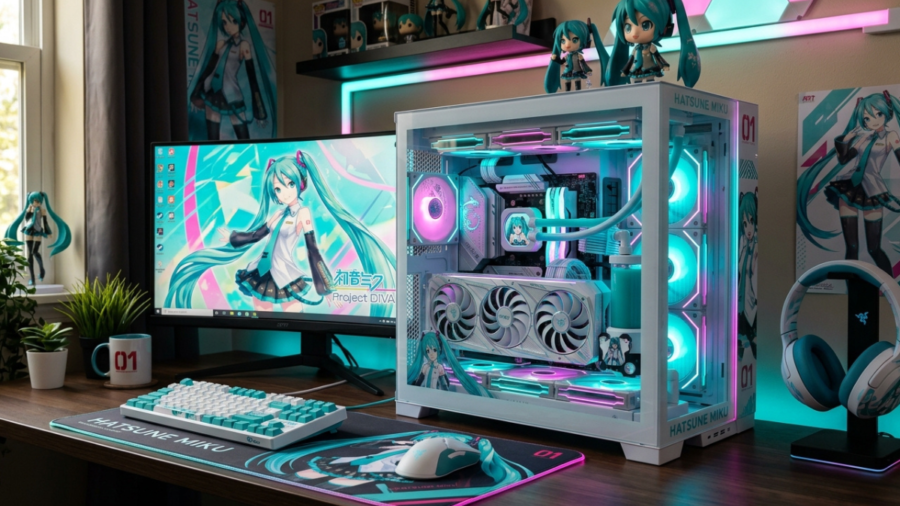
If you are searching for Hatsune Miku PC games, you will find more than one way to enjoy the famous virtual singer on a computer. Hatsune Miku began as a singing voice synthesizer created by Crypton Future Media and has grown into a major character with a worldwide creative community.
For PC gamers, one of the most important titles is Hatsune Miku: Project DIVA Mega Mix+. It is an officially released PC rhythm game available through Steam and published by SEGA.
What Is Hatsune Miku PC?
Hatsune Miku is a virtual singer developed by Crypton Future Media. Her voice is based on the voice of Japanese voice actress Saki Fujita, and the character was created as a singing voice synthesizer. Over time, Hatsune Miku became much more than music software.
Crypton describes her as part of a worldwide creative culture involving songs, videos, artwork, and other fan-created works. The term Hatsune Miku PC generally refers to PC games and software involving Miku. For gamers, the Project DIVA series is particularly important because it brings her music and performances into rhythm-based gameplay.
Why Hatsune Miku Is Popular on PC
PC players can enjoy an officially supported version of Project DIVA Mega Mix+ through Steam. SEGA lists PC through Steam as the platform and classifies the title as a rhythm game. The PC version also offers customization, different visual styles, custom playlists, and a T-shirt editor, giving players more than simple rhythm challenges.
Best Hatsune Miku Games for PC
The official English title is Hatsune Miku: Project DIVA Mega Mix+. It is a single-player rhythm game developed and distributed by SEGA for PC through Steam. Players interact with musical notes while Miku and other characters perform on screen. The game combines rhythm gameplay with music videos, character customization, and different visual presentations.
Steam also lists features such as more than 500 hairstyles, costumes, and accessories, two visual styles, a custom T-shirt editor, and custom playlists. For anyone specifically looking for a Hatsune Miku PC rhythm game, this is the main title to consider.
Other Hatsune Miku Games for PC
Miku’s PC presence is not limited to Project DIVA. Other titles are available for computer players, including puzzle and VR experiences. For example, Hatsune Miku Logic Paint S offers a puzzle-focused experience instead of traditional rhythm gameplay. Hatsune Miku VR is designed around virtual reality and rhythm-action gameplay.
These different formats mean players can choose a Miku experience based on their preferred style rather than assuming every game works the same way.
How to Choose the Right Miku Game
Think about the type of experience you want. If you enjoy music and timing challenges, Project DIVA Mega Mix+ is a natural choice. Players who prefer puzzle gameplay can look at Logic Paint S, while VR users can consider Hatsune Miku VR. Always check the official store page before purchasing because system requirements and hardware requirements can differ between games.
Key Features of Hatsune Miku PC Games
Rhythm-Based Gameplay
Rhythm gameplay is the main attraction of Project DIVA Mega Mix+. Players must interact with notes according to the timing of the music.
Good performance depends on concentration, timing, and learning the patterns used by different songs. This makes the game easy to understand at a basic level while giving experienced players room to improve.
Songs and Music Library
Music is central to the Hatsune Miku experience. Project DIVA Mega Mix+ includes a substantial selection of songs and presents them through animated music-video performances. The combination of recognizable music and interactive gameplay gives players a reason to replay songs and improve their results.
Characters and Customization
Customization is another major feature. Steam describes a large selection of hairstyles, costumes, and accessories that players can use to change character appearances. The game also includes a custom T-shirt editor, allowing players to create designs for performances. Custom playlists provide another way to personalize the experience.
Difficulty Levels and Challenges
Rhythm games become more demanding as players move beyond the easiest songs. Faster patterns and more complicated sequences require better timing and concentration. Beginners should focus on learning the controls before worrying about achieving perfect scores. Gradual practice makes it easier to understand the game’s rhythm system.
Graphics and Visual Performances
Project DIVA Mega Mix+ offers two visual styles. Players can switch between the colorful “Mega Mix” presentation and the higher-fidelity “Future Tone” style. The visual performances are an important part of the game’s identity because the music is accompanied by animated character performances.
Hatsune Miku PC System Requirements
Minimum System Requirements
According to the current Steam listing, Project DIVA Mega Mix+ requires a 64-bit processor and operating system and lists Windows 10 64-bit as the operating system requirement. The minimum hardware includes an Intel Core i3-2100 or AMD Phenom II X4 965, 4 GB of RAM, and a GTX 550 Ti or Radeon HD 5850-class graphics card. The listing requires DirectX 11 and 20 GB of available storage.
Recommended System Requirements
The recommended specifications include an Intel Core i5-2400 or AMD Ryzen 3 1200, 4 GB RAM, and a GTX 750 Ti or Radeon HD 6870-class graphics card. Steam lists DirectX 11 and 30 GB of available storage for the recommended configuration. Steam also notes that future updates or additional content can increase requirements.
Storage and Internet Requirements
The official listing currently specifies 20 GB of storage for the minimum configuration and 30 GB for the recommended configuration. Before installation, it is sensible to leave additional free space because games can receive updates or additional content.
How to Check Your PC Specifications
Windows users can check their processor, installed memory, operating system, and other hardware through the system-information tools available in Windows. After checking your specifications, compare them with the game’s official Steam requirements. This is more reliable than depending on unofficial system-requirement websites.
How to Play Hatsune Miku on PC
Choosing an Official PC Version
Choose an officially released PC version from a legitimate store. Project DIVA Mega Mix+ is officially listed for PC through Steam by SEGA. Using an official version also makes it easier to check current requirements and receive supported game updates.
Installing the Game
After purchasing the game through Steam, you can install it using the Steam client. Before beginning the installation, check your available storage and make sure your computer meets the published requirements. For Project DIVA Mega Mix+, Steam currently lists 20 GB as the minimum storage requirement.
Setting Up Keyboard and Controller
Choose the control method that feels comfortable and allows you to react consistently. Spend some time learning the basic inputs before attempting difficult songs. For a rhythm game, comfortable controls can make practice much easier because accuracy depends on consistent reactions.
Adjusting Graphics and Gameplay Settings
If your computer is close to the minimum requirements, start with moderate settings and adjust them according to performance. The game also allows players to switch between its two visual styles, so you can choose the presentation you prefer.
Tips for Playing Hatsune Miku PC Games
Start With Easy Songs
New players should begin with easier songs to understand the controls and timing system. There is no need to rush into difficult challenges. Once the basic patterns become familiar, gradually move to more demanding songs.
Improve Timing and Accuracy
Pay close attention to when notes reach their required input point. If you repeatedly miss notes, slow down and identify which part of the pattern is causing the problem. Practice is more useful than simply trying to complete increasingly difficult songs.
Learn Different Note Patterns
As you progress, you will encounter different combinations and sequences. Instead of treating every note as completely new, learn to recognize recurring patterns. Pattern recognition can help you react faster and reduce mistakes during challenging sections.
Use a Comfortable Controller
Choose a keyboard or controller that feels natural to you. The most important factor is consistent input. If you change your control setup frequently, it can take longer to develop reliable muscle memory.
Increase Difficulty Gradually
Move to a higher difficulty level when you can comfortably handle your current one. Gradual progression keeps practice manageable and helps you build confidence.
Common Hatsune Miku PC Problems and Solutions
Performance and Lag Issues
First compare your computer with the official system requirements. If your hardware is close to the minimum specifications, reducing demanding graphics settings may help. Also make sure sufficient storage is available because Steam currently lists 20 GB minimum storage for Project DIVA Mega Mix+.
Controller Problems
If a controller does not work correctly, check whether Steam and Windows recognize the device. Then review the game’s available control settings. For rhythm games, input consistency is especially important, so test your controls before beginning difficult songs.
Installation and Update Issues
Check available storage and make sure Steam can download and update the game correctly. The official Steam listing warns that future updates and additional content can increase the game’s requirements.
Audio and Display Problems
For audio or display problems, begin by checking your computer’s drivers, game settings, and hardware compatibility. You can also experiment with the game’s available visual styles if your concern is related to presentation rather than technical performance.
Is Hatsune Miku PC Worth Playing?
Advantages of Playing on PC
A major advantage is the availability of an official PC version of Project DIVA Mega Mix+. The game combines rhythm gameplay, music videos, customization, visual styles, and custom playlists. PC players can also choose from different Miku-related experiences depending on whether they prefer rhythm, puzzles, or VR.
Possible Drawbacks
Different Miku games require different hardware, and not every game will suit every player. Someone looking for rhythm gameplay may not enjoy a puzzle-focused title.
PC players should also check system requirements before buying, particularly when their computer is older.
Who Should Play Hatsune Miku PC Games?
These games are a good fit for players who enjoy rhythm challenges, Japanese virtual-singer culture, music-focused games, or character customization. The best choice depends on personal preference. Rhythm fans can start with Project DIVA Mega Mix+, while players interested in other gameplay styles can explore additional Miku titles.
Conclusion
Hatsune Miku PC offers an enjoyable way for fans of rhythm games, virtual singers, and music-based entertainment to experience Miku on a computer. For players looking for a full rhythm-game experience, Hatsune Miku: Project DIVA Mega Mix+ is a strong choice, with more than 170 playable songs, extensive character customization, multiple visual styles, and customizable playlists.
Before installing a it game, it is important to check the official system requirements and make sure your computer has enough storage and compatible hardware.
FAQs
1. Can you play Hatsune Miku games on PC?
Yes, several Hatsune Miku games are available for PC, including Hatsune Miku: Project DIVA Mega Mix+ on Steam. It offers rhythm-based gameplay with Miku songs, customization, and different visual styles.
2. What is the best Hatsune Miku PC game?
Hatsune Miku: Project DIVA Mega Mix+ is a strong choice for players who enjoy rhythm games and Miku performances. It provides a large music selection, character customization, and challenging gameplay.
3. What are the Hatsune Miku PC system requirements?
Project DIVA Mega Mix+ requires Windows 10 64-bit, 4 GB RAM, DirectX 11, and compatible CPU and graphics hardware. The Steam listing recommends 20 GB of storage for minimum requirements and 30 GB for recommended specifications.
4. Can I use a controller with Hatsune Miku PC games?
Yes, controller support can depend on the specific it game and its control settings. Players should check the game’s official Steam page for supported controls and hardware details.
5. Is Hatsune Miku PC suitable for beginners?
Yes, beginners can start with easier songs and gradually increase the difficulty as their timing improves. Practicing note patterns and using comfortable controls can make the learning process easier.